

Did you know that nearly 75% of patients now use online search to find a new healthcare provider? In an increasingly digital world, your online presence is often the very first impression you make on potential patients. And when it comes to winning at local search, one tool stands out as an absolute game-changer: your Google Business Profile.
For today's medical, dental, veterinary, and optometry practices, a well-optimized Google Business Profile is no longer a nice-to-have—it's an indispensable component of any effective healthcare marketing strategy. This powerful, free tool from Google allows you to take control of how your practice appears on Google Search and Google Maps, making it significantly easier for local patients to find, contact, and ultimately choose you for their care.
This comprehensive guide will walk you through everything you need to know about optimizing your Google Business Profile to attract more patients, build lasting trust, and sustainably grow your practice.
What is a Google Business Profile and Why is it Crucial for Healthcare?
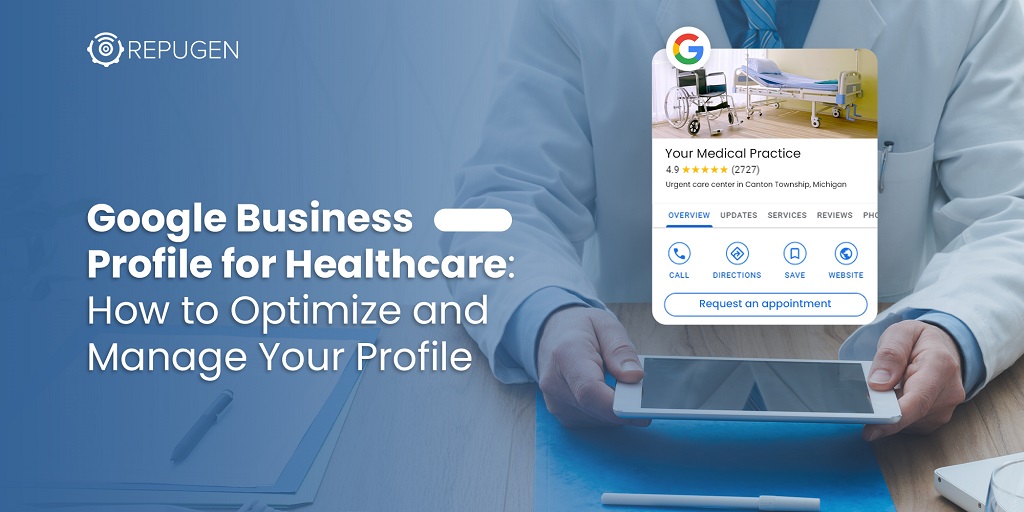
A Google Business Profile (formerly known as Google My Business) is a free business listing that allows you to manage how your practice's information is displayed across Google's vast ecosystem. This includes appearing in the coveted "local pack"—the prominent box of three local businesses that appears at the top of search results for local queries—and on Google Maps.
For healthcare practices, this is particularly critical because patients are almost always looking for care within their immediate vicinity. When someone searches for "dentist near me" or "veterinarian in [city]," Google's algorithm relies heavily on the information from your Business Profile to determine if your practice is a relevant match. A fully optimized profile sends strong signals to Google that your practice is active, reputable, and relevant to the searcher's needs.
Beyond just improving your visibility in local search results, your Google Business Profile acts as a digital front door to your practice. It provides patients with the essential information they need to make an informed decision, such as your address, phone number, hours of operation, and, most importantly, patient reviews.
A Step-by-Step Guide to Optimizing Your Google Business Profile
Optimizing your Google Business Profile is an ongoing process, not a one-time task. By following these steps and committing to keeping your profile fresh and up-to-date, you can significantly improve your local search ranking and attract a steady stream of new patients.
1. Claim and Verify Your Business Listing
The foundational first step is to claim and verify your Google Business Profile. This crucial step gives you exclusive control over the information displayed and allows you to respond to reviews and messages. If you haven't already, go to google.com/business to create or claim your listing. You'll need to verify your practice's physical address, which is typically done by receiving a postcard with a verification code from Google in the mail.
2. Complete Every Section of Your Profile with Meticulous Detail
An incomplete profile is a significant missed opportunity. It's essential to fill out every single section of your Google Business Profile with accurate, detailed, and up-to-date information. This includes:
3. The Unrivaled Power of Patient Reviews
Patient reviews are arguably one of the most influential factors in both local search rankings and patient decision-making. A steady stream of recent, positive reviews signals to Google that your practice is trustworthy and provides high-quality care. Here's how to leverage the power of reviews:
4. Leverage Google Posts to Engage and Inform Patients
Google Posts are like mini-blog posts or social media updates that appear directly in your Business Profile. They're a fantastic way to share practice updates, promotions, events, and educational content with potential patients. Use Posts to:
5. Use High-Quality Photos and Videos to Build Trust and Familiarity
Photos and videos are a powerful way to give patients a glimpse into your practice and build trust before they even walk through the door. People want to see who will be treating them and where they will be treated. Include high-quality images of:
6. Proactively Answer Patient Questions with the Q&A Feature
The Questions & Answers section of your profile allows patients to ask questions directly from your listing. Proactively monitor and answer these questions to provide helpful information and address any potential concerns. You can also pre-populate this section with frequently asked questions to save your staff time and provide instant answers to common queries about insurance, parking, appointment scheduling, and more.
3 Actionable Tips for Healthcare Practices
Conclusion: Your Google Business Profile is Your Digital Welcome Mat
Optimizing your Google Business Profile is a powerful and highly cost-effective way to attract more local patients and grow your healthcare practice. By following the steps outlined in this guide and consistently managing your profile as a dynamic marketing asset, you can dramatically improve your visibility in local search, build a strong foundation of trust with potential patients, and ultimately, drive more appointments through your doors.
Ready to take your healthcare marketing to the next level and unlock your practice's full growth potential? DearDoc's AI-powered growth platform is designed to help you attract, convert, and retain more patients with a suite of tools including AI chat, online scheduling, reputation management, and automated marketing. Contact us today to learn more and schedule a free, no-obligation demo!
Ready to grow your practice?
See how DearDoc can help you attract more patients and streamline your operations with a free demo.
Get a free demo